

A Guide to Cloud Based Accounting Services
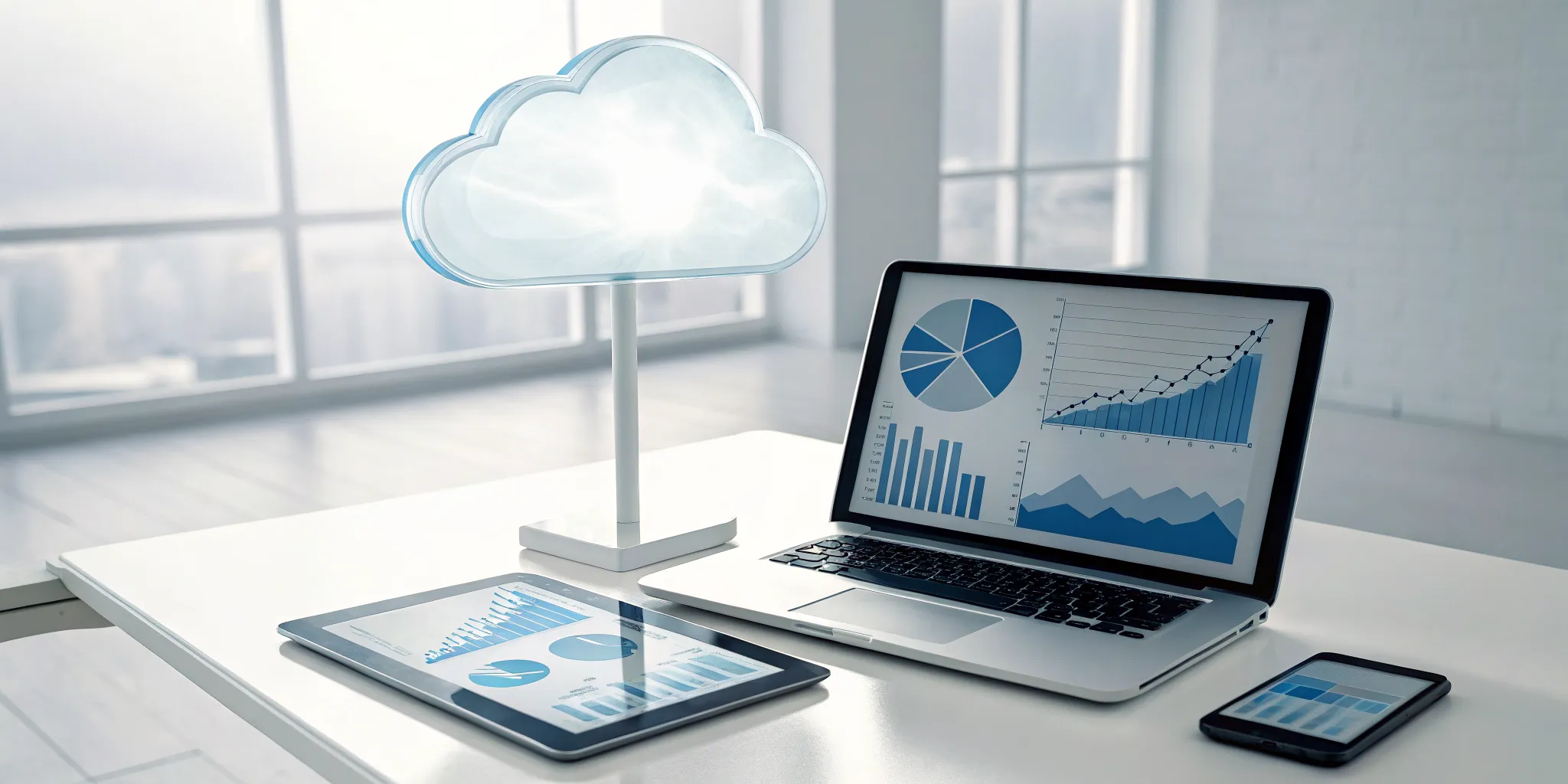
How quickly can you answer the question, “How is the business doing today?” If the answer involves digging through spreadsheets or waiting for your bookkeeper, you’re making decisions with outdated information. True financial clarity isn’t about a report you get once a month; it’s about having a live, accurate view of your company’s health at any moment. This is the fundamental shift that cloud accounting offers. By connecting directly to your bank and automating data entry, cloud based accounting services give you a real-time dashboard for your business, empowering you to make smarter, faster decisions with confidence, from anywhere you happen to be working.
Key Takeaways
- Access your financials from anywhere: Cloud accounting untethers your financial data from a single computer, giving you and your team secure, real-time access. This freedom allows you to make informed decisions on the go and collaborate seamlessly with your accountant.
- Find the right fit for your business: The best software is one that aligns with your specific needs, industry, and company size. Compare your options by focusing on user-friendliness, essential features like automation, and the ability to scale as your business grows.
- View the switch as a strategic investment: While moving your data and training your team requires planning, the long-term benefits are significant. Reputable cloud platforms offer robust security and operational efficiencies that make the transition a smart move for your company's financial health.
What is Cloud Accounting?
Let's start with a simple analogy. Think of cloud accounting like streaming a movie on Netflix instead of playing a DVD. With traditional accounting, the software and all your data live on one specific computer in your office. If that computer crashes or you're working from home, you're out of luck. Cloud accounting, on the other hand, stores your software and data on secure, remote servers. This means you can access your financial information from anywhere with an internet connection, whether you're on a laptop, tablet, or phone.
It operates on a model called Software-as-a-Service (SaaS), which is just a fancy way of saying it’s a subscription service. Instead of buying a software license outright and worrying about updates, you pay a monthly or annual fee. The provider handles all the security patches and maintenance behind the scenes, so you always have the latest version. Your financial information is sent to "the cloud," processed securely, and then delivered back to you in an easy-to-understand format. This approach gives you more flexibility, enables real-time collaboration with your team or accountant, and provides peace of mind, letting you focus on running your business instead of managing software.
Core Features
The best part about cloud accounting is how it simplifies your financial management. You can access your books from your laptop at a coffee shop, your tablet on the couch, or your phone while waiting for a flight. This flexibility is a game-changer for remote teams or businesses with multiple locations, as everyone can work from the same up-to-date information. Key features often include real-time financial reporting, automated invoicing and payment reminders, and seamless bank reconciliation. Plus, these platforms are built to grow with you, easily connecting with other business tools you already use, like payroll or inventory management systems. This creates a centralized hub for all your financial data.
How It Works
Getting started with cloud accounting is surprisingly straightforward. You don't need to install any bulky software on your computer. Instead, you just log in through a web browser or a mobile app, similar to how you'd check your email. The software provider, like QuickBooks Online or Xero, manages all the technical heavy lifting, including security updates and data backups. This means you can send invoices, track expenses, and run payroll from virtually any device. The whole system is designed to be intuitive and efficient, giving you the freedom to manage your business finances on your own terms, wherever you happen to be.
Popular Cloud Accounting Platforms to Know
Choosing the right cloud accounting platform is a lot like finding the right business partner. The best one for you will understand your needs, grow with you, and make your life easier. With so many options available, it’s easy to feel overwhelmed, but the variety is actually a good thing. It means there’s a perfect fit out there for every type of business, whether you’re a solo freelancer or a growing company with complex needs.
The right software does more than just track numbers; it gives you a clear, real-time picture of your company’s financial health. This clarity is essential for making smart decisions, planning for the future, and reducing the stress that comes with managing money. A good platform automates tedious tasks, helps you get paid faster, and keeps you organized for tax time. It also makes it incredibly simple to collaborate with your accountant or financial advisor, giving them the access they need to provide timely, strategic advice. As we go through some of the most popular platforms, think about your daily operations, your team’s needs, and where you want your business to be in a few years.
Seamless Accounting Solutions
While we aren't a software platform, our role at Seamless is to act as your strategic partner in the world of cloud accounting. We help you cut through the noise to select, implement, and manage the platform that best aligns with your business goals. Our team has deep experience with all the leading software, so we know the ins and outs of each one. We don't just set you up and send you on your way; we work alongside you to make sure your accounting system provides the financial clarity you need to become more profitable and transaction-ready. Think of us as the experts who make sure your chosen technology actually works for you.
QuickBooks Online
QuickBooks Online is one of the most recognized names in the accounting world, and for good reason. It’s a powerful, all-in-one cloud-based accounting software that caters to a wide range of small and medium-sized businesses. Its features are designed to give you a complete view of your finances, from cash flow management and receipt tracking to invoicing and payroll. Because it’s so widely used, most accountants are already familiar with it, which makes collaboration simple. If you need a robust, scalable solution that can handle everything from basic bookkeeping to detailed financial reporting, QuickBooks Online is a solid contender.
Xero
If you love when all your business tools connect and work together, Xero is definitely worth a look. It’s known for its clean, user-friendly interface and its robust integrations with over 800 third-party apps. This allows you to build a customized ecosystem of tools for project management, inventory, and more, all feeding data directly into your accounting system. Xero is also a fantastic choice for businesses that operate internationally, as it offers strong multi-currency transaction support. It’s a flexible and modern platform that’s great for tech-savvy business owners who want to streamline their workflows.
FreshBooks
FreshBooks was built specifically for service-based businesses and freelancers, and it shows. The platform excels at creating professional-looking invoices, tracking billable hours, and managing project expenses. Its design is incredibly intuitive, so you don't need an accounting degree to figure it out. If your primary needs are sending invoices, accepting payments, and keeping tabs on project profitability, FreshBooks simplifies the entire process. It’s a great choice for consultants, creatives, and other small business owners who want to spend less time on paperwork and more time serving their clients.
Wave Accounting
For new businesses, freelancers, and anyone looking for a budget-friendly option, Wave is an amazing starting point because it’s completely free. It covers all the essentials, including unlimited invoicing, expense tracking, and financial reporting. Unlike many free tools, Wave also allows you to add unlimited users, making it easy to collaborate with a partner or an accountant. While it may not have all the advanced features of paid platforms, it provides a solid foundation for managing your finances without any upfront investment. It’s an ideal choice for micro-businesses that need a simple, no-cost way to stay organized.
Why Switch to Cloud Accounting?
If you’re still running your business finances from a desktop spreadsheet or outdated software, you know the limitations. You’re tied to a specific computer, collaboration means emailing files back and forth, and a single hard drive crash could be catastrophic. Making the switch to cloud accounting is more than just a tech upgrade; it’s a strategic move that gives you more control, flexibility, and peace of mind.
Cloud-based platforms transform how you interact with your financial data. Instead of being installed on one machine, the software runs on secure, remote servers. This simple difference unlocks a new level of efficiency. You can manage your books from anywhere, automate tedious tasks that used to take hours, and give your team or accountant secure access without ever having to send a file. It’s about getting the financial clarity you need to make smart decisions, whether you’re in the office, at home, or on the go. Let’s look at the three biggest reasons why a switch might be right for you.
Access Your Financials from Anywhere
Think about how you check your email. You can log in from your phone, your laptop, or a tablet, and everything is always up to date. That’s exactly how cloud accounting works. Your financial data is no longer stuck on a single office computer. As long as you have an internet connection, you have a real-time view of your business’s health.
This means you can send an invoice from your phone while on a job site or check your cash flow before making a purchase. It also makes collaboration with your accountant seamless. We can log in to review your books, answer questions, and pull reports without you having to export and send cumbersome files. This level of accessibility gives you the freedom to run your business from anywhere.
Save Costs and Scale Your Business
Traditional accounting software often comes with a hefty upfront price tag, not to mention costs for annual updates and maintenance. Cloud accounting flips that model on its head. Most platforms operate on a monthly or annual subscription basis, making it a predictable operating expense that’s easier on your cash flow. Many services even use consumption-based pricing, so you only pay for the features you actually use.
This model is also built for growth. As your business expands, you can easily upgrade your plan to add more users, features, or integrations. You’re not locked into a system you’ll outgrow in a year. By automating tasks like invoicing and expense tracking, these platforms also save you valuable time, which directly translates into cost savings.
Protect Your Data with Better Security
It’s natural to wonder if your sensitive financial information is safe online. The reality is, your data is often more secure in the cloud than on your office computer. Leading cloud accounting providers invest millions in security measures that are far beyond what most small businesses could implement on their own. They use bank-level encryption, which scrambles your data into an unreadable code, to protect it from unauthorized access.
Your information is stored in highly secure data centers with multiple layers of protection. Plus, your data is backed up automatically and continuously. This means you don’t have to worry about losing everything if your laptop is stolen or your office server fails. Cloud services keep your data safe and give you one less thing to worry about.
Essential Features in Cloud Accounting Software
When you start comparing cloud accounting platforms, you'll notice they offer a wide range of features. While some are nice to have, others are absolutely essential for getting a clear picture of your finances and making your life easier. The right software should feel like a partner, helping you streamline your operations and focus on what you do best: running your business. Look for these core features to make sure you’re choosing a tool that will support your company’s growth and financial health.
Automate Invoicing and Expense Tracking
Think about the hours spent creating invoices, chasing payments, and manually entering receipt data. Cloud accounting software gives you that time back. These platforms can automate routine tasks, letting you set up recurring invoices for regular clients, send automatic payment reminders, and even capture expenses just by snapping a photo of a receipt. This not only reduces manual work but also minimizes the risk of human error. By automating these processes, you ensure faster payments, more accurate expense records, and more time to focus on strategic business activities instead of tedious administrative work.
Connect Your Bank and Other Tools
One of the most powerful features of cloud accounting is its ability to connect directly to your business bank and credit card accounts. This creates a live "bank feed" that automatically imports your transactions, giving you a real-time view of your cash flow without any manual data entry. Beyond banking, most platforms integrate with hundreds of other business applications, including payment processors, payroll systems, and CRM software. This creates a seamless flow of information across your entire business, ensuring your financial records are always comprehensive, accurate, and up to date.
Get Real-Time Financial Reports
Waiting until the end of the month or quarter to understand your financial position is a thing of the past. Cloud accounting software allows you to generate crucial financial reports like the profit and loss statement, balance sheet, and cash flow statement with just a few clicks. You can see exactly how your business is performing at any moment. Most platforms also offer customizable dashboards that display your most important key performance indicators (KPIs) at a glance. This immediate access to data empowers you to make smarter, more timely decisions based on current information, not outdated reports.
Collaborate with Your Team
Managing your finances is often a team effort. Cloud accounting software makes it easy to work together with your staff and external partners, like your accountant. You can grant access to multiple users and set specific permissions to control what they can see and do. This means your bookkeeper can manage daily transactions, your business partner can review reports, and your accountant can log in to finalize your taxes, all from the same platform. This streamlines communication and ensures everyone is working with the most current financial data, eliminating the confusion of emailing spreadsheets back and forth.
Leverage AI and Automation
The most advanced cloud accounting platforms are now incorporating artificial intelligence to make financial management even smarter. AI can learn your habits to automatically categorize expenses, saving you the trouble of doing it yourself. It can also analyze your data to spot unusual transactions that might indicate an error or potential fraud. Some tools even use AI to provide cash flow forecasts, helping you anticipate future financial needs and plan accordingly. These intelligent features transform your accounting software from a simple record-keeping tool into a proactive assistant that helps you maintain financial health.
How to Evaluate Security in Cloud Accounting
Handing over your financial data can feel like a huge leap of faith. It’s completely normal to worry about security when moving your accounting to the cloud. The good news is that reputable cloud providers often have more robust security measures than a typical small business can manage on its own. The key is knowing what to look for. Here are four critical areas to investigate when you’re evaluating a cloud accounting service.
Look for Security Certifications
Think of security certifications as a third-party stamp of approval. When a cloud accounting service has certifications like SOC 2 or ISO 27001, it means they’ve been audited and confirmed to meet high industry standards for data protection. These aren't just fancy acronyms; they’re proof that the provider has strong controls in place for managing your sensitive information. Always check a provider’s website or ask their sales team for a list of their security credentials. It’s a straightforward way to gauge their commitment to keeping your financial data safe.
Confirm Data Encryption and Backups
You want to know that your financial data is unreadable to anyone who shouldn't see it. That’s where encryption comes in. Top-tier cloud accounting platforms use advanced encryption methods to protect your information both while it's being sent over the internet and while it's stored on their servers. Just as important are automatic backups. Ask how frequently your data is backed up and where those backups are stored. This ensures that even if something goes wrong, your financial records can be quickly restored, protecting you from catastrophic data loss.
Manage User Access and Permissions
Not everyone on your team needs access to all your financial data. A crucial security feature is the ability to set granular user permissions. This lets you control exactly who can see and do what within the software. For example, you might allow a team member to create invoices but restrict them from viewing payroll information or running financial reports. Having customizable user permissions is essential for preventing both internal fraud and accidental errors. It puts you in the driver’s seat, ensuring sensitive information is only accessible on a need-to-know basis.
Ask About Disaster Recovery Plans
What happens if the worst-case scenario occurs, like a major server outage or a natural disaster at a data center? This is where a provider’s disaster recovery plan comes into play. You need to know they have a solid strategy for getting their systems back online and restoring your data with minimal downtime. Don’t be shy about asking potential providers about their disaster recovery plan. Inquire about their recovery time objectives (how fast they can get back up) and how they ensure your data remains intact. A clear, confident answer is a good sign you’re dealing with a professional service.
Common Myths About Cloud Accounting
Moving your financial operations to the cloud can feel like a big step, and it’s natural to have questions. Many business owners hesitate because of some common misconceptions floating around. Let's clear the air and look at the reality behind these myths. Understanding the truth about cloud accounting can help you see the opportunities it offers for clarity, growth, and peace of mind. From security to scalability, the benefits often outweigh the perceived risks.
Myth: My Data Isn't Safe in the Cloud
This is probably the number one concern we hear, and it’s completely understandable. Handing over your sensitive financial data can feel risky. However, the reality is that cloud accounting platforms often provide a higher level of security than most businesses can manage on their own. These companies invest millions in state-of-the-art security infrastructure, including data encryption, firewalls, and multi-factor authentication. Your information is typically safer in a guarded digital fortress than on a single office computer that could be lost, stolen, or damaged. Reputable providers also offer more visibility and control over who can access your data.
Myth: It's Not for Businesses My Size
Some people believe cloud accounting is only for tiny startups or massive corporations, but that’s simply not true. One of the greatest strengths of cloud-based software is its scalability. Whether you’re a solo entrepreneur, a growing family business, or a multi-location company, these platforms are built to adapt to your needs. You can start with a basic plan and add features, users, and integrations as your business expands. This flexibility ensures you only pay for what you need, making it a cost-effective solution for businesses at every stage of their journey.
Myth: What if My Internet Goes Down?
The fear of losing access during an internet outage is a practical one. While cloud software does require an internet connection for real-time updates, the risk is often overstated. Many platforms have mobile apps with offline capabilities that allow you to continue working and sync your data once you’re back online. Think about the alternative: if your financials are stored on a single desktop, you’re tied to that one location. Cloud accessibility means you, your bookkeeper, or your accountant can log in from anywhere, at any time, which is a huge advantage for remote teams and busy owners.
Myth: The Switch is Too Complicated
Change can be intimidating, especially when it involves your finances. It’s easy to stick with an old system because it feels familiar. But holding onto outdated methods can seriously limit your growth. Modern cloud accounting platforms are designed with user-friendly interfaces and guided setup processes to make the transition as smooth as possible. You don’t have to do it alone, either. Working with a firm like Seamless ensures your data is migrated correctly and your team is trained properly, turning a potentially complex process into a straightforward, manageable project.
How Cloud Accounting Pricing Works
Figuring out the cost of cloud accounting software can feel like comparing apples to oranges. Each platform has its own way of structuring prices, and the best fit for your business depends on your size, needs, and budget. Most services use a tiered model, where you pay more for additional features and capacity, but the way they package these tiers can vary quite a bit.
Understanding the main pricing models will help you look past the marketing and find a solution that truly works for your bottom line. The most common approaches are subscription-based plans, which offer predictability, and pay-as-you-go models that provide flexibility. Many platforms also offer free starter plans with the option to upgrade as you grow. Beyond the monthly fee, it’s also smart to keep an eye out for potential hidden costs, like setup fees or charges for extra features, so you can create an accurate budget.
Subscription vs. Pay-As-You-Go
Most cloud accounting platforms operate on a subscription model. You pay a flat monthly or annual fee for access to a specific set of features. This is great for budgeting because your costs are predictable and consistent. Tiers are common here, so a basic plan might cover invoicing and expense tracking, while a premium plan adds payroll and advanced reporting.
A less common but equally interesting option is the pay-as-you-go model. With this approach, you only pay for what you use, whether that’s based on the number of transactions you process or the specific features you access. These dynamic pricing models can be a great fit for businesses with seasonal or fluctuating activity, giving you more control over your expenses.
Decoding Free and Paid Plans
Many cloud accounting services offer a free plan to get you started. These are typically designed for freelancers or very small businesses with simple needs. A free plan might limit you to a certain number of clients, invoices per month, or bank connections. It’s a fantastic way to test out the software without any financial commitment and see if the interface works for you.
You’ll know it’s time to upgrade to a paid plan when you start hitting those limits or need more advanced functionality. Paid plans open up features like automated payment reminders, detailed financial reports, and multi-user access. This tiered approach reflects a consumption-based pricing philosophy, allowing you to scale your investment as your business grows.
What to Know About Hidden Costs
The price you see on the website isn’t always the full story. Before you commit to a platform, it’s important to ask about any additional costs that might pop up. For example, some services charge one-time setup or data migration fees to help you get started. If you need to train your team, you might have to pay for dedicated support or training sessions.
Another area to watch is integrations. Connecting your accounting software to other tools like your CRM or e-commerce platform can streamline your workflow, but some add-ons come with their own monthly fees. The impact of cloud computing technology is greatest when your systems work together, so be sure to factor these potential costs into your decision.
Challenges to Expect When Switching
Making any significant change in your business comes with a few hurdles, and switching to cloud accounting is no different. While the long-term benefits are clear, it’s smart to go in with your eyes open to the potential challenges. Being prepared for these bumps in the road will make the transition smoother for you and your team. The process isn't just about picking new software; it's about changing how your business handles its financial core.
The main challenges usually fall into three categories. First, you have the technical task of moving all your historical financial data from your old system to the new one. This requires careful planning to ensure nothing gets lost or jumbled in the transfer. Second, there’s the human element: getting your team comfortable and proficient with a new platform. Finally, you need to be sure that the investment of time and money will genuinely pay off for your business. Let's walk through each of these so you know exactly what to expect.
Migrating Your Financial Data
Moving your financial history from one system to another can feel like a monumental task. You have years of transactions, client details, and reports that all need to find a new home. The key is to do it carefully to maintain data integrity. A messy migration can lead to inaccurate reporting down the line, which is the last thing you want. While this process requires attention to detail, it’s also a great opportunity to clean up your records. More importantly, it moves you away from the risks of desktop-based accounting. Storing everything on a single computer leaves you vulnerable to data loss from hardware failure or file corruption, a risk that cloud-based systems are designed to minimize.
Training Your Team
New software means a new way of doing things, and that comes with a learning curve. Even the most intuitive platform will require some training for your team to use it effectively. Expect a temporary dip in productivity as everyone gets up to speed. The goal is to provide thorough training so your team feels confident, not frustrated. Investing time upfront to ensure everyone knows how to use the software correctly will pay off with greater efficiency and fewer errors later. A good implementation partner can provide training to make sure your employees are comfortable with the new tools and workflows from day one, turning a potential challenge into a team-building opportunity.
Making Sure the Move is Worth It
Switching to a new system requires an investment of both time and money, so it’s fair to ask if it’s truly worth it. The key is to look beyond the initial setup and subscription fees. Think about the long-term value. A good cloud accounting platform can save you money, offer more flexibility, and improve how you share financial information securely. It’s not just about the software, either. Having the right accounting team to guide you is critical, especially with the current shortage of accounting talent. The right partner ensures you’re not just buying software, but investing in a more efficient and profitable future for your business.
How to Compare Your Options
Once you have a shortlist of potential cloud accounting platforms, it's time to dig a little deeper. The best software for your business isn't just about the brand name or the price tag; it’s about finding a tool that fits seamlessly into your daily operations and supports your long-term goals. A great accounting service acts like a partner, helping you maintain financial clarity and make smarter decisions. The wrong one, however, can create more work, cause confusion, and lead to costly mistakes. To avoid that, you need a clear framework for your evaluation. This process is about more than just ticking boxes on a feature list. It's about envisioning how this tool will function day-to-day within your team and how it will support your strategic objectives. We'll break it down into three essential questions you should ask about any service you're considering: Is it easy to use? How good is their customer support? And does it have the specific features your business needs to thrive? Answering these will guide you to a solution that not only manages your books but also helps you grow with confidence. This approach ensures you're choosing a tool that will reduce stress, not create it, which is the ultimate goal of adopting new technology in your business.
Is It Easy to Use?
The most powerful software in the world won't help you if it's too complicated to use. Cloud accounting software is generally designed to be user-friendly, even if you don't have an accounting degree. Look for a platform with a clean, intuitive interface that makes sense to you. Before you commit, take advantage of free trials or watch demo videos to get a feel for the workflow. Can you easily find what you need? Does completing a simple task, like creating an invoice, feel straightforward? Your accounting software should reduce your stress, not add to it. A platform that feels natural to use from the start will save you countless hours in training and troubleshooting down the road.
How Good is Their Customer Support?
Even with the most intuitive software, you'll eventually have a question or run into a snag. That's when you'll be glad you chose a provider with excellent customer support. When you're comparing options, look into what kind of help they offer. Do they have live chat, phone assistance, or just email tickets? Check their support hours to see if they align with your workday. It's also a great idea to read user reviews that specifically mention customer service experiences. A strong customer support system can be the difference between a minor hiccup and a major headache, ensuring you get answers quickly so you can get back to business.
Does It Have the Features You Need?
Not all businesses have the same accounting needs, so it's important to find software with the right tools for your specific operations. Before you start comparing, make a list of your must-have features. Do you need multi-currency invoicing, project-based billing, or advanced inventory tracking? Check if the software can integrate with other business tools you already rely on, like your CRM or payment processor. Think about the future, too. Choose a platform that can scale with you, offering more advanced features as your company grows and your needs evolve. This foresight prevents you from having to switch systems again in just a few years.
Find the Right Cloud Accounting Service for You
Choosing the right cloud accounting service isn't about finding a one-size-fits-all solution. The best platform for your business depends entirely on your size, industry, and long-term goals. A freelancer has very different needs than a growing manufacturing company, and your software should reflect that. By breaking down your specific requirements, you can find a service that not only simplifies your bookkeeping but also supports your growth. Let's look at what to consider based on where your business is right now.
Needs for Small Businesses and Freelancers
If you're a small business owner or freelancer, your main goal is simplicity and efficiency. You need a tool that handles the basics without overwhelming you. Think of cloud accounting software as your financial command center, but one that lives online instead of on a single computer. This gives you the freedom to manage your books from anywhere. Look for platforms with intuitive designs that make it easy to send invoices, track expenses, and prepare for tax season. For example, many small businesses find that services like QuickBooks Online are a great starting point because they are built for users who aren't accounting experts and can handle key tasks like payroll and taxes.
Considerations for Growing Companies
As your company expands, your financial needs become more complex. You'll likely have more employees, more transactions, and more data to manage, which makes security a top priority. Cloud accounting services help protect your sensitive information by using data encryption and storing it securely online. You'll also want a platform that can grow with you. Look for features like multi-user access, which allows your team members or accountant to collaborate in real-time without sharing passwords. The right software provides a secure, scalable foundation for your financial operations, giving you peace of mind as you focus on growth.
Finding Industry-Specific Solutions
Sometimes, a general accounting platform isn't enough. Certain industries, like construction, nonprofits, or retail, have unique financial tracking and reporting needs. For instance, a construction company needs to manage project costs, while a nonprofit has to track grants and donations carefully. Many cloud accounting platforms offer specialized versions or integrations designed for these specific requirements. These tools provide the reliability you need when applying for loans, managing inventory, or ensuring you meet industry compliance standards. Don't settle for a generic solution if your business could benefit from features tailored to your field.
Related Articles
- What is a Cloud Accountant & Do You Need One?
- Cloud Accounting Solutions: A Complete Guide
- The Ultimate Guide to Cloud Bookkeeping Services
Frequently Asked Questions
What's the biggest practical difference between cloud and traditional desktop accounting? The main difference comes down to access and collaboration. With traditional software, your financial data lives on a single computer in your office, tying you to that one location. Cloud accounting lets you access your books from any device with an internet connection. This means you can send an invoice from your phone or your accountant can review your reports from their own office, all using the same up-to-date information.
I'm worried about the hassle of switching. Is it a difficult process? It's true that any change requires some adjustment, but the transition is much smoother than you might think. Modern platforms are designed to be intuitive, and the process of moving your data is a great chance to organize your financial records. You don't have to handle it alone, either. Working with a partner ensures your data is migrated correctly and your team gets the training they need to feel confident from day one.
With so many options, how do I choose the right platform for my business? The best way to start is by making a list of your must-have features. Do you need to track inventory, manage project costs, or handle multi-currency transactions? Once you have your list, take advantage of free trials to see which interface feels the most natural to you. The right software should feel like a helpful tool, not a complicated chore.
Is my financial data truly secure in the cloud? This is a common and valid concern. The reality is that your information is often safer in the cloud than on your office computer. Reputable cloud providers invest heavily in security measures like data encryption and automatic backups. This protects your data from things like hardware failure, theft, or fire in a way that a single desktop computer simply can't.
Where does an accounting firm like Seamless fit into this process? Think of us as your strategic guide. We don't sell the software, but we have deep experience with all the leading platforms. Our role is to help you choose the right tool for your specific business goals, manage the implementation, and ensure you're using it in a way that provides real financial clarity. We make sure the technology works for you, not the other way around.