

The Guide to Cloud Accounting Solutions
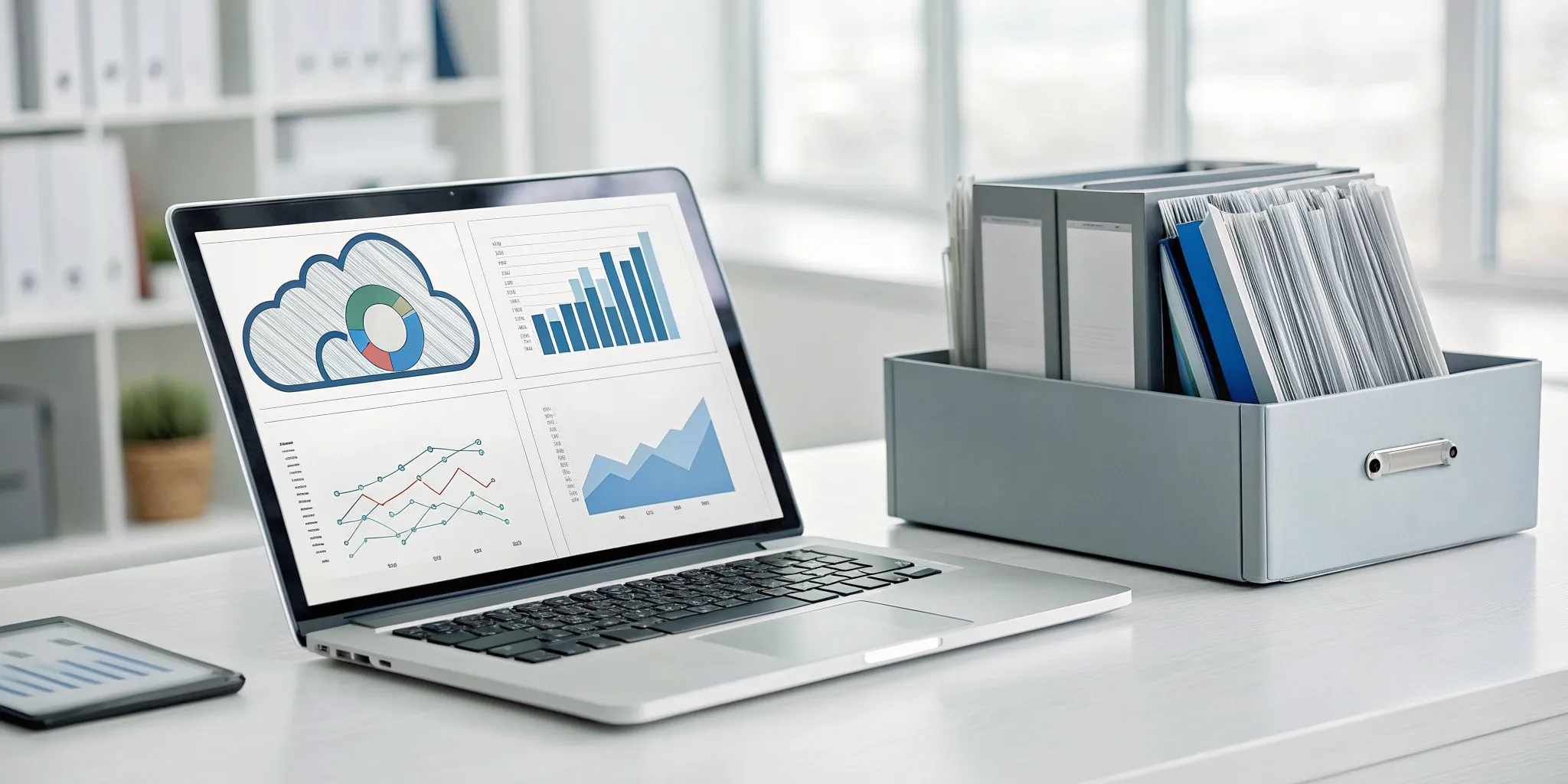
How well do you truly know your numbers? For many business owners, accounting is a backward-looking task, a necessary chore to see what happened last month or last quarter. But what if your financial system could give you the power to shape what happens next? That’s the fundamental difference you get with a modern approach to bookkeeping. Instead of just recording history, you get a live dashboard of your business’s health. This guide is about moving from reactive data entry to proactive financial management. We’ll show you how the right cloud accounting solutions provide powerful, real-time reporting and analytics, giving you the clarity you need to spot trends and make smarter decisions to guide your company’s growth.
Key Takeaways
- Access Your Finances Anywhere, Securely: Cloud accounting lets you run your business from any device. Leading platforms use top-tier security measures, like encryption and automatic backups, to keep your financial data safer than it would be on a local computer.
- Prioritize Features That Save You Time: Focus on software that supports your daily operations. Look for powerful reporting for smarter decisions, seamless integrations to reduce manual data entry, and automation for routine tasks like invoicing and expense tracking.
- Plan Your Move for a Smooth Transition: A successful switch requires a clear strategy. This includes cleaning up your financial records before the move, training your team on the new system, and setting a realistic timeline to ensure a seamless adoption.
What is Cloud Accounting?
If you’ve ever used online banking, you’re already familiar with the concept behind cloud accounting. Simply put, it’s accounting software that lives online instead of on a single computer. All your financial data is hosted on secure, remote servers, which means you can access it from anywhere you have an internet connection, whether you’re at the office, at home, or on the go.
Think of it as moving your financial operations from a locked filing cabinet in your office to a secure digital vault you can access anytime. The company that provides the software handles all the technical heavy lifting, like maintenance, security, and updates. This is a huge advantage for business owners. It frees you from the headaches of manual software installations and ensures you’re always working with the latest, most secure version of the platform. Instead of worrying about data backups or system crashes on a local computer, you can trust that your financial information is professionally managed. It’s a modern approach to bookkeeping that gives you more flexibility, real-time insight, and control over your business finances, letting you focus on what you do best: running your business.
How It Works
Getting started with cloud accounting is straightforward. You simply log in to your account through a web browser or a mobile app on your phone or tablet. All your financial information, from invoices and expenses to payroll and reports, is right there. Because the data is stored in the cloud, you and your team (including your accountant) can work on the same files at the same time, from different locations. Any changes you make are updated instantly for everyone. Plus, the software updates automatically, so you always have access to the newest features and security patches without needing to install anything.
Cloud vs. Traditional Software
Traditional accounting software is installed directly onto your computer’s hard drive. This means your financial data is tied to that one device, making it difficult to access when you’re away from the office. Sharing information with your accountant often involves emailing files back and forth or transferring data via a USB drive, which can be slow and insecure.
Cloud accounting, on the other hand, offers far more flexibility. It provides a cloud-based accounting overview that is accessible from any device. This setup fosters better collaboration and gives you a real-time view of your company’s financial health. With up-to-the-minute data, you can make smarter, faster decisions to guide your business.
Why Make the Switch to the Cloud?
If you're still tied to a desktop accounting program, you might feel like you’re running your business with one hand tied behind your back. You’re stuck at a specific computer, dealing with manual backups, and worrying about what happens if that machine crashes. Moving your accounting to the cloud isn't just about adopting new technology; it's about fundamentally changing how you manage your finances for the better. It gives you the freedom, security, and flexibility that modern businesses need to thrive.
Cloud accounting solutions are designed to simplify your financial operations, giving you a real-time view of your company’s health from anywhere. This means more informed decisions, smoother collaboration with your team and accountant, and less time spent on tedious data entry. Instead of wrestling with outdated software, you can focus your energy on what truly matters: growing your business. The switch brings a level of efficiency and peace of mind that traditional software simply can't match. It’s a strategic move that prepares your business for the future, making you more agile and ready for whatever comes next.
Access Your Financials Anywhere, Anytime
One of the most powerful benefits of cloud accounting is the ability to access your financial data from any device with an internet connection. Imagine approving an invoice while waiting for a flight or checking your cash flow from your home office without having to remote into a specific desktop. This level of accessibility gives you the freedom to run your business on your terms. It also makes collaborating with your accountant seamless. We can log in to review your books, answer questions, and pull reports without needing to be in the same room, ensuring you always have up-to-date advice when you need it most.
Save Time with Automatic Updates
Remember the days of buying and installing software updates every year? Cloud accounting eliminates that hassle entirely. The software is updated automatically by the provider, so you’re always using the latest version with the newest features, security patches, and bug fixes. You don't have to do a thing. This means no more downtime for manual installations or worrying that you’re using an outdated, vulnerable program. The provider handles all the maintenance behind the scenes, freeing you up to focus on your business operations instead of IT chores. It’s a simple change that gives you back valuable time.
Protect Your Data with Better Security
It’s natural to wonder if your financial data is safe online, but the truth is, it’s often more secure in the cloud than on your office computer. Leading cloud accounting providers invest heavily in top-tier security measures, including data encryption, firewalls, and multi-factor authentication, to protect your sensitive information. Think about it: your laptop could be stolen or your server could crash, potentially wiping out all your records. With cloud software, your data is stored on secure, redundant servers, protecting it from physical theft, hardware failure, and other local disasters. This robust protection gives you confidence that your financial information is safe and sound.
Scale as Your Business Grows
Your business isn't static, and your accounting software shouldn't be either. Cloud accounting platforms are built to grow with you. Whether you’re hiring your first employee, opening a new location, or adding a new line of service, these systems can easily adapt. You can add new users, integrate other business tools like payroll or inventory management, and handle increasing transaction volumes without needing a complete system overhaul. This flexibility ensures your accounting solution supports your growth every step of the way, rather than holding you back. It’s a long-term solution that provides a solid financial foundation for your company's future.
What Features Matter Most in Cloud Accounting Software?
Once you’ve decided to move your finances to the cloud, the next big question is, which platform is right for you? With a sea of options all promising to simplify your life, it’s easy to feel overwhelmed. The key is to look past the flashy marketing and focus on the core features that will actually make a difference in your day-to-day operations and long-term growth.
Think of it this way: the right software should feel like a partner in your business, not just another tool you have to manage. It should give you clarity, save you time, and adapt as your company evolves. While every business has unique needs, there are a few non-negotiable features that provide the foundation for strong financial management. These are the capabilities that separate the truly great platforms from the merely adequate ones. Let’s walk through the four features that matter most, so you can choose a solution that helps you work smarter, not harder.
Powerful Reporting and Analytics
How well do you really know your numbers? Strong cloud accounting software goes beyond basic profit and loss statements. It provides you with a dashboard of your business’s financial health, allowing you to generate detailed reports and track key performance indicators (KPIs) in real time. This isn't just about looking back at what happened last quarter; it's about gaining the insight to make smarter, forward-looking decisions. With robust analytics, you can spot trends, identify your most profitable services, and manage your cash flow with confidence. This level of clarity is essential for any business owner who wants to move from reacting to the market to proactively shaping their own success.
Seamless Integration with Other Tools
Your accounting software doesn't operate in a vacuum. It should be the financial hub of your business, connecting effortlessly with the other tools you rely on every day. Look for platforms that offer seamless integrations with applications like your CRM, payment processors, and inventory management systems. When your software "talks" to each other, you eliminate the need for redundant data entry, which saves an incredible amount of time and reduces the risk of human error. This creates a single source of truth for your financial data, giving you a complete and accurate picture of your business performance without having to piece it together from different sources.
Time-Saving Automation
As a business owner, your time is your most valuable asset. The best cloud accounting platforms give you more of it back by automating routine and time-consuming tasks. Imagine a world where you don't have to manually enter every receipt, chase down late payments, or spend hours on bank reconciliations. Good software can handle these jobs for you. By setting up automated workflows for things like invoicing, expense tracking, and payment reminders, you can free up your schedule to focus on what you do best: serving your clients and growing your business. This isn't a small convenience; it's a fundamental shift in how you manage your finances.
On-the-Go Mobile Access
Business doesn't just happen at your desk, and your accounting software shouldn't be stuck there either. The ability to access your financial data from anywhere, on any device, is a game-changer. Whether you’re meeting a client and need to send an invoice on the spot, or you’re at a supplier and want to snap a photo of a receipt for an expense claim, mobile access keeps your business moving. A powerful mobile app allows you to check your cash flow, approve payments, and get a real-time view of your finances whenever you need it. This flexibility ensures you’re always in control and can make timely decisions, no matter where you are.
Is Your Financial Data Really Safe in the Cloud?
Handing over your company’s financial data can feel like a huge leap of faith. It’s natural to wonder if your sensitive information is truly secure when it’s stored online instead of on a computer in your office. For many business owners, the idea of data floating in "the cloud" sounds abstract and risky compared to a physical server they can see and touch. However, the reality is that reputable cloud accounting platforms are built with security as a top priority, often providing far more robust protection than most businesses could manage on their own. Many of the security concerns business owners have are based on outdated ideas about the cloud or misunderstandings about how it works. The truth is that your data is likely safer in the hands of a dedicated cloud provider than on a local server that could be susceptible to theft, physical damage like a fire or flood, or a localized cyberattack that your IT setup isn't equipped to handle.
Leading cloud providers invest millions into safeguarding data because their reputation and entire business model depend on it. They employ large teams of security experts dedicated to monitoring threats and maintaining defenses around the clock, a level of security that is simply out of reach for the average business. Instead of you worrying about server maintenance, software patches, and physical security, you can rely on a provider to handle it all. From encryption that scrambles your data into unreadable code to automatic backups that prevent catastrophic loss, these platforms offer a multi-layered defense system designed for the modern world. In the following sections, we’ll break down exactly how these security measures work, why industry compliance matters, and what happens in a worst-case scenario. We'll also tackle some of the most common myths about cloud security so you can make your decision with confidence.
How Encryption and Authentication Protect You
Think of encryption as a digital lock. When your data travels to the cloud or rests on a server, it’s scrambled into an unreadable code. Only someone with the right key, which is your login information, can unscramble it. This means that even if someone managed to intercept your data, it would be completely useless to them.
On top of that, cloud platforms use strong authentication methods to verify your identity. You’re likely already familiar with Multi-Factor Authentication (MFA), which requires a second step, like a code sent to your phone, to log in. This simple action makes it significantly harder for unauthorized users to access your account, even if they somehow get your password.
The Importance of Compliance Standards
Security isn’t just about technology; it’s also about trust and accountability. Reputable cloud accounting providers adhere to strict industry compliance standards to prove their commitment to data protection. These frameworks require companies to undergo regular, independent audits of their security controls, policies, and procedures.
By choosing a platform that prioritizes these standards, you can be confident that your financial data is being handled responsibly. This not only protects your business but also helps you build trust with your own clients and stakeholders. It shows that you are serious about data security and are taking the right steps to protect sensitive information across your operations.
What Happens with Backups and Disaster Recovery
What would happen if your office computer crashed or was stolen? With traditional accounting software, you could lose everything if your last backup wasn't recent. Cloud accounting eliminates this risk entirely. Your data is automatically and continuously backed up to multiple secure, remote locations.
This means that if a server in one location goes down, or even if a natural disaster strikes, your information remains safe and accessible from another server. This built-in disaster recovery system provides incredible peace of mind. You never have to worry about performing manual backups or losing years of financial history due to a single point of failure. Your data is always there when you need it.
Common Cloud Security Myths, Busted
One of the most persistent myths is that keeping data on-site is safer than storing it in the cloud. While it might feel more secure to have your data on a server you can see, the reality is often the opposite. Most small and medium-sized businesses don’t have the resources to match the security infrastructure of a major cloud provider.
These companies have entire teams dedicated to preventing breaches, updating systems with the latest security patches, and monitoring for threats 24/7. For them, security is not just a feature; it’s the foundation of their business. By moving to the cloud, you are placing your data in a professionally managed, highly secure environment, allowing you to focus on running your business.
Finding the Right Cloud Accounting Platform for You
Choosing the right cloud accounting software can feel like a huge decision, but it doesn't have to be stressful. The best platform for your business is simply the one that fits your specific needs, budget, and goals. Think about what you need most. Are you a service-based business that lives and breathes by invoices? Or do you manage a lot of inventory and need robust reporting? Answering these questions first will make the selection process much clearer.
To help you get started, we’ve looked at some of the most popular and reliable options on the market. Each has its own strengths, and one is likely a great match for where your business is today and where you want it to go. We'll walk through the key features of QuickBooks Online, Xero, FreshBooks, and Sage to give you a better sense of how they compare. This way, you can make an informed choice that brings more clarity and efficiency to your financial management.
Our Recommended Solutions
When you start looking at cloud accounting software, a few names come up again and again for good reason. These platforms are trusted by millions of businesses and offer a great starting point for your search.
- QuickBooks Online: A top choice for small to medium-sized businesses, known for its comprehensive features and strong reporting capabilities.
- Xero: A very popular and user-friendly platform with excellent automation tools and real-time financial tracking.
- FreshBooks: An invoice-focused design that’s perfect for service-based businesses and freelancers who need simplicity and ease of use.
- Sage Business Cloud Accounting: A solution that combines the flexibility of the cloud with powerful accounting functions that can grow with your business.
A Look at QuickBooks Online
QuickBooks Online is often the first platform businesses consider, and it’s earned its reputation as an industry leader. It’s a true all-in-one solution, handling everything from bookkeeping and invoicing to payroll and tax preparation. Its reporting features are particularly strong, giving you detailed insights into your company’s financial health. One of its biggest advantages is the massive ecosystem of third-party apps that integrate directly with the platform. This means you can connect your accounting software to the other tools you already use, creating a seamless workflow and saving you valuable time. It’s a fantastic option for businesses that need a robust, feature-rich system.
Exploring Xero
If you’re looking for a clean, intuitive interface without sacrificing power, Xero is an excellent contender. It’s designed to be user-friendly, making it easy to get a real-time view of your cash flow. Xero shines when it comes to automation and connectivity. It links with thousands of banks to help you automatically match transactions, which drastically cuts down on manual data entry. Plus, it connects with hundreds of other business tools, from CRM and inventory management systems to e-commerce platforms like Shopify. This makes it a great hub for all your financial data, ensuring everything stays in sync with minimal effort.
Is FreshBooks a Good Fit?
Not every business needs a complex accounting system. If you run a service-based business, your primary focus is likely on invoicing, tracking time, and managing project expenses. This is exactly where FreshBooks excels. It was built from the ground up with freelancers, consultants, and small service businesses in mind. The platform makes creating professional-looking invoices incredibly simple and helps you get paid faster with online payment options. While it may not have the deep inventory or payroll features of other systems, its focus on invoicing and expense tracking is perfect for entrepreneurs who want a straightforward, no-fuss solution to manage their finances.
What About Sage Business Cloud Accounting?
Sage is a name that’s long been trusted in the accounting world, and its cloud platform brings that legacy of robust functionality to a more flexible environment. Sage Business Cloud Accounting is a great choice for businesses that need more than just the basics and are planning for future growth. It offers powerful features for managing everything from cash flow and invoicing to more complex tasks like inventory and financial reporting. This platform is designed to scale, so you won’t have to worry about outgrowing it as your company expands. It strikes a nice balance, providing the convenience of cloud access with the comprehensive accounting tools that growing businesses require.
Making the Move: Your Transition to the Cloud
Switching to cloud accounting software is a major step, but it’s one that can completely transform your financial operations for the better. Like any significant business change, a successful transition requires a thoughtful plan. It’s not just about picking the right software; it’s about moving your financial history, preparing your team for a new way of working, and setting a practical schedule that doesn’t disrupt your day-to-day business.
A smooth migration sets your business up for long-term success, giving you the clarity and efficiency you need to grow. By focusing on a few key areas, you can make the move with confidence. We’ll walk through how to plan your data migration, get your team excited about the change, create a realistic timeline, and handle any bumps you might encounter along the way. With the right approach, you’ll be up and running on your new platform before you know it.
Planning Your Data Migration
Moving your financial data is the most critical part of the transition. A well-organized migration ensures you have accurate, historical information from day one. Start by cleaning up your current records. This is the perfect opportunity to archive old files, correct any errors, and make sure your books are in order before you move them. Think of it as decluttering before you move into a new house.
Once your data is clean, you can plan the transfer. Many cloud platforms offer tools to help you import data directly from your old software. For more complex situations, you might consider a phased approach or getting professional help to manage the process. After the data is moved, the final step is to verify everything. Run reports in both the old and new systems to confirm that your balances match and that no information was lost in the data migration process.
Getting Your Team Onboard
Your team’s adoption of the new software is just as important as the technical migration. The best way to get everyone on board is to communicate the benefits early and often. Explain how the new system will make their jobs easier, whether through automation, remote access, or better reporting. When people understand the "why" behind the change, they are much more likely to embrace it.
Proper training is non-negotiable. Failing to set aside enough time for your team to learn the new system can cause disruptions and frustration. Offer a mix of training resources, like live workshops, video tutorials, and quick-reference guides. It’s also helpful to identify a "champion" on your team, someone who can become an expert and serve as the go-to person for questions. This investment in training pays off with a confident team and a smoother transition.
Setting a Realistic Timeline
Transitioning to a new accounting system is a project, and it needs a project timeline. Rushing the process can lead to mistakes and unnecessary stress. Break the transition down into manageable phases: planning, data cleanup, team training, data migration, and a final "go-live" date. Assign clear deadlines to each phase to keep the project on track.
Be sure to build in a buffer for the learning curve. It’s natural for productivity to dip slightly as your team gets used to the new software. Plan your go-live date for a typically slower period for your business, such as the beginning of a new quarter, to minimize the impact on your operations. A well-structured timeline keeps everyone aligned and ensures the transition doesn’t get derailed.
Overcoming Common Transition Hurdles
Even with a great plan, you might face a few challenges. One of the most common concerns is data security. It’s important to remember that cloud accounting providers invest heavily in top-tier security measures, often far more than a single business could afford on its own. Your financial data is protected by encryption, multi-factor authentication, and regular backups.
Another hurdle can be simple resistance to change. Some team members may be comfortable with the old system, so it’s crucial to listen to their concerns and reinforce the benefits of the new software. Finally, make sure you test how the new platform integrates with your other essential tools, like your payroll or CRM systems. Strong support from company leadership is key to working through these hurdles and making the transition a clear success for everyone involved.
How to Choose the Right Cloud Accounting Solution
Choosing a cloud accounting platform is a big decision. This software will become the financial hub of your business, so it’s worth taking the time to find the right fit. Instead of getting overwhelmed by feature lists, focus on finding the best software for your specific business. To get there, you need to look at your decision from a few key angles: your current needs, your budget, your future growth, and the expert advice you have on your side. Let’s walk through how to think about each one.
Assess Your Business Needs First
Before you look at any software, start by looking at your own operations. What are your daily financial tasks? Make a list of must-have features, like project tracking for a service business or inventory management for a retailer. It’s also critical that your new software plays well with the tools you already use. Choosing a platform that supports integration with your other systems is the key to maintaining consistent, accurate data across your organization and avoiding the headache of manual data entry.
Consider Your Budget and Pricing Models
Once you know what you need, it’s time to talk money. Most cloud solutions use a subscription model, which is often more manageable than the large, one-time cost of traditional software. As you compare options, look closely at the different pricing tiers. Many platforms charge based on the number of users or transactions, so read the fine print to understand what’s included and what might cost extra. Always take advantage of free trials to get a real feel for the software before you commit.
Plan for Your Company's Growth
The software that fits your business today should also support you tomorrow. You don’t want to go through a painful migration in a few years because you’ve outgrown your system. Think about where your business will be in three to five years. Will you add more team members or expand into new markets? A truly scalable accounting solution will grow with you, allowing you to easily add users and handle more complex reporting as your needs evolve. This foresight will save you significant stress and resources.
Why You Should Work with a Professional
You don’t have to make this decision alone. Partnering with an accounting firm gives you a major advantage, offering an objective view based on experience with businesses like yours. An expert can help you identify the software that truly aligns with your financial goals and workflows. They’ve seen which platforms deliver and which ones create headaches. Beyond selection, a professional can guide your team through a smooth transition to the cloud, ensuring your data is migrated correctly and your team is trained properly from day one.
Related Articles
- Best Online Accountants for Small Business
- 7 Best Online Accountants for Small Business — Seamless
- Best Online Accountants for Small Business | 2025 Guide
- Bookkeeping Business Services: A Complete Guide
- Best Online Accountants for Small Business: Practical Guide — Seamless
Frequently Asked Questions
How do I know which cloud accounting software is right for my specific industry? The best way to start is by looking at your core business operations. If you run a service-based business, for example, your top priorities will likely be invoicing, time tracking, and project management, which makes a platform like FreshBooks a strong contender. If you manage physical inventory, you’ll need a more robust system like QuickBooks Online or Xero that can handle stock levels and cost of goods sold. Think about the features that will solve your biggest daily headaches, and use that list to guide your choice.
Will switching to the cloud make my accountant's job harder? Quite the opposite, it actually makes our collaboration much smoother. Instead of you sending me files back and forth, I can log in to your system with my own secure access. This allows me to see your financial data in real time, answer questions quickly, and pull reports without interrupting your day. It turns our relationship into a more dynamic partnership, as we’re both looking at the same up-to-the-minute information.
What's the biggest mistake businesses make when moving to cloud accounting? The most common pitfall is rushing the process and failing to plan properly. Many businesses get excited about the new software but don't take the time to clean up their existing financial data before migrating it. This can lead to carrying over old errors into the new system. Another frequent mistake is not investing enough time in training the team, which can cause frustration and slow adoption. A successful transition is all about thoughtful preparation, not just flipping a switch.
Is my data really safer online than on my office computer? It’s a valid concern, but yes, for most businesses, it is significantly safer. Reputable cloud accounting companies have entire teams of security experts and invest millions in protecting their servers with measures like advanced encryption and constant monitoring. Compare that to a single computer or server in your office, which is vulnerable to physical theft, hardware failure, or a fire. Storing your data with a major provider puts it in a professionally managed, highly secure environment.
How long does the transition to a new cloud accounting system usually take? The timeline really depends on the complexity of your business and how clean your current financial records are. For a small business with straightforward books, the process might take a few weeks from planning to going live. For a larger company with years of transaction history and multiple integrations, it could take a couple of months to ensure everything is migrated and verified correctly. The key is to create a realistic schedule and not to rush the critical steps of data cleanup and team training.